[ about turf-map.io ]
Territory maps your community can keep up to date.
Turf-map.io is a browser-based editor for building interactive maps. Draw regions, add markers and descriptions, organize them into categories, then publish one live map your community can return to as things change.
It started with a familiar problem: every map update meant taking another screenshot and pasting it into Discord. A live map gives the group one place to check the current layout instead.
How a map is organized
A Turf-map.io map is made of a few parts that solve different jobs. A region is a drawn area. A marker points to a specific place. Categories group regions and markers so visitors can filter what they see, while sections group related categories in the map sidebar.
This structure is useful when a map covers more than one kind of information. For example, a community can keep territories in one category and shops or landmarks in another, then let visitors switch each category on or off without maintaining separate image files.
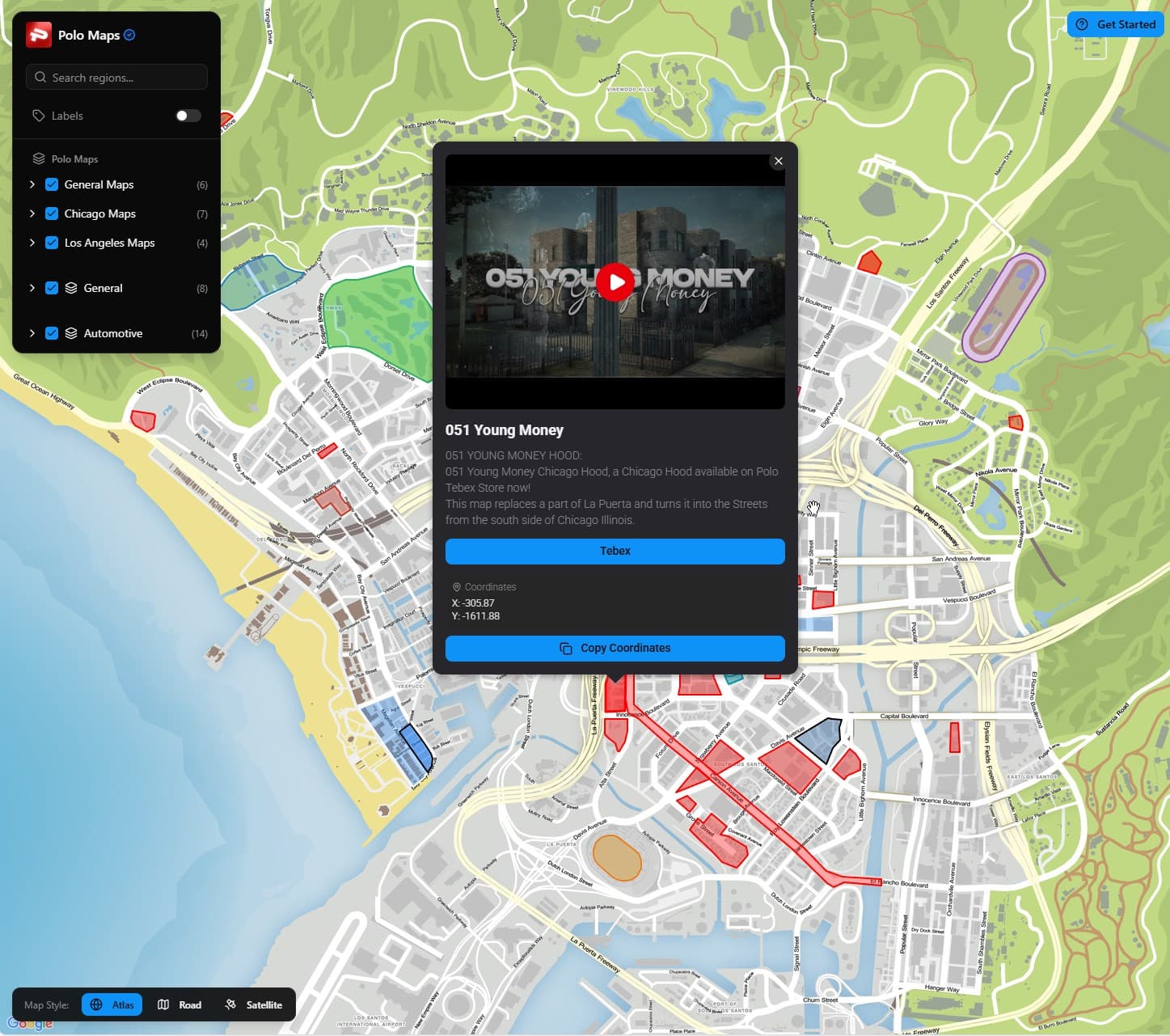
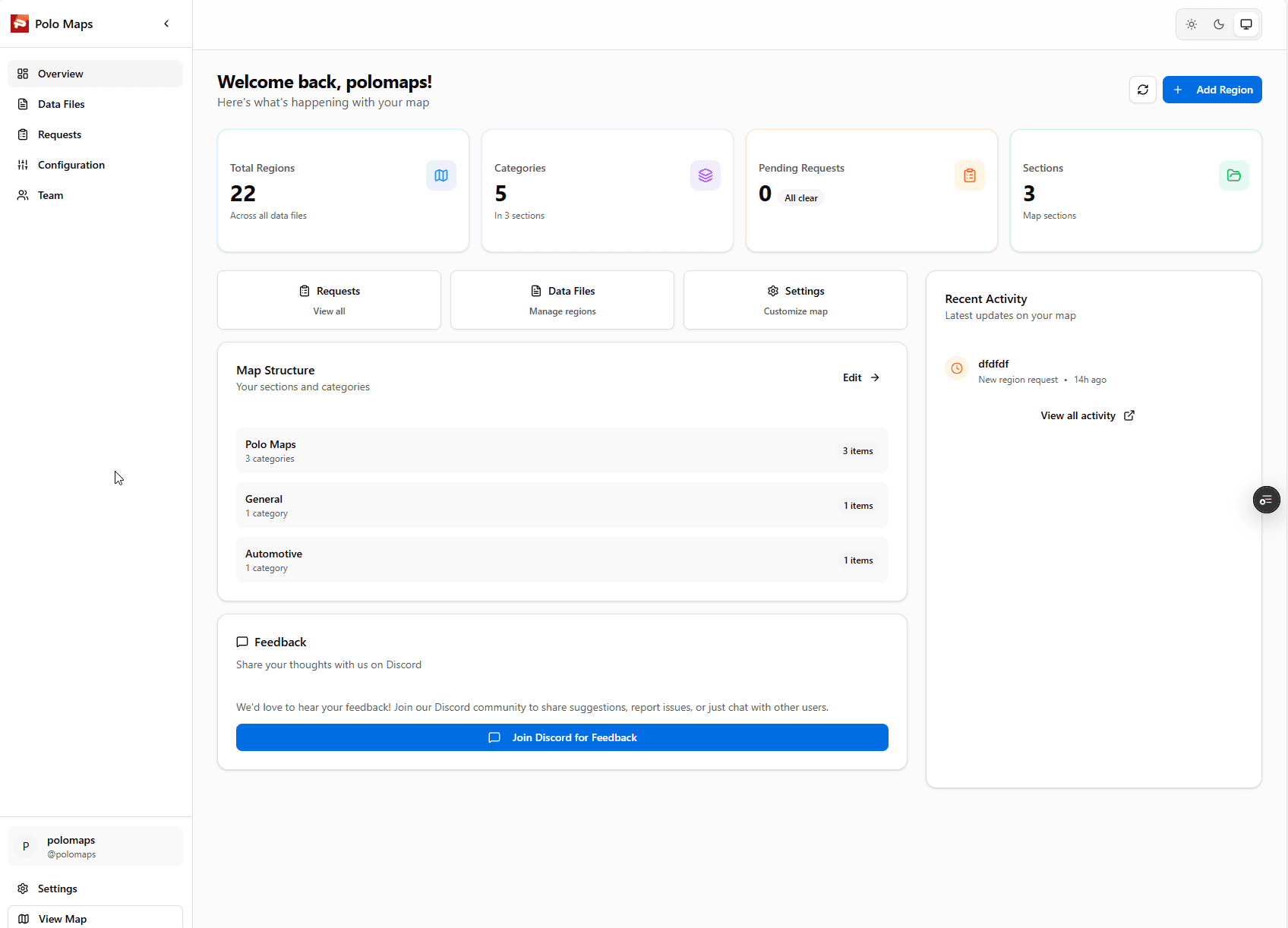
From editor to shared map
- 1. Set up the map structure. Choose names for the categories and sections people will use to understand the map.
- 2. Draw regions and add markers. Use regions for areas and markers for individual locations. Add descriptions where a label alone would not explain the meaning.
- 3. Review the public view. Check that labels, colours, and category names still make sense to someone who did not build the map.
- 4. Share one live URL. Each map has a Turf-map.io subdomain. Owners can share that page directly or embed the map into another website.
If a map owner enables region requests, visitors can propose an edit without being given direct editor access. The owner or an editor can review the request before accepting it. That keeps public input separate from changes that are already live.
Browse practical map-building guidesPlans and data
Turf-map.io has a limited free plan and a Pro plan currently listed at $15.99 every three months. Pro raises the published limits; the current plan page shows the included features and any available add-ons. People who created accounts before pricing returned keep their existing free access.
You can download your map data as JSON from the map dashboard under Settings → Export. The export includes regions, markers, categories, and configuration so you have a copy outside the editor.
Turf-map.io is an independent project maintained by its developer. For help, billing questions, or a product issue, visit the contact page.
See current plansQuestions about Turf-map.io
What can I put on a Turf-map.io map?
A map can contain drawn regions, point markers, categories, and sections that group related categories. Owners can add descriptions and configure how their public map is presented.
How do people view and share a map?
A map has a public page on its Turf-map.io subdomain. Owners can share that link or embed the map on another website with an iframe.
Can a community suggest map changes?
Map owners can enable region requests so visitors can propose changes. An owner or editor reviews requests before they become part of the map.
Can I export my map data?
Yes. In the map dashboard, open Settings and choose Export to download a JSON file with map regions, markers, categories, and configuration.
What does Turf-map.io cost?
There is a limited free plan and a Pro plan currently listed at $15.99 every three months. Pro raises the published plan limits. Accounts created before pricing returned keep their existing free access. Current plan details are on the pricing section of the home page.